Your availability status on Malt directly affects your visibility in search results and the number of opportunities you receive.
In summary:
- Confirmed availability: ideal status with a green badge visible for 7 days.
- Unconfirmed availability: profile visible but no badge after 7 days without confirmation.
- Unavailable: profile hidden from search, with a return date to set.
Availability confirmed: best option for attracting new clients. It shows that you're ready and available to work on new projects. This status must be confirmed every 7 days.
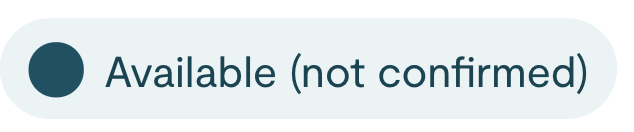
Availability not confirmed: this notification pops up when you have not confirmed your availability in the past 7 days.
Not available: choose this option when you do not want to be contacted about new projects. You will be asked to select a date when you'll be ready to make on more work.
If you've set your status to "not available" and also identified a date for when you'll be available to take on more work in the future, you will begin receiving new project requests as early as two months before the date of your next availability
You can change your status at any time via your Malt profile. This information is used by Malt and potential new clients to know when and if you are free to take on new projects.
Let’s take a closer look at each status.
The three availability statuses
When your availability has not been confirmed, it means that you have neither updated your availability in the last 7 days nor set your status to “not available.” When this happens, your profile will continue to be visible in Malt Search results and you’ll still be able to receive new project requests. However, you will lose the “availability confirmed” badge on your profile and in Malt Search results (see the example for Aleksandra above). As a result, potential new clients may be less eager to contact you, which may decrease your chances of receiving new project opportunities.
You are by no means required to update your availability. Just because you haven’t confirmed your availability in a while doesn’t mean that we will automatically switch your status to “not available” after a certain amount of time has passed. However, if you want to grow your freelance business and be contacted with new project opportunities, we don’t recommend leaving your status idle.
Being inactive can have a negative impact:
- If your profile is inactive for 3 months—meaning, you have not logged into Malt once during that time—your profile will no longer be visible in Malt Search results.
- If your profile is inactive for a full year, Malt will stop sharing new project opportunities with you until you’ve logged in again.
Confirmed availability
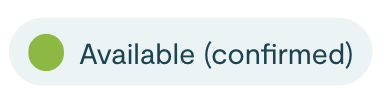
This is the best option for attracting new clients and increasing your chances of receiving new project requests. Selecting this status means you have confirmed your availability on Malt within the last 7 days. As a result, your freelancer profile will appear in Malt Search results and can also be matched to Malt opportunities (i.e. new project opportunities matched to your skills and expertise via our advanced AI). We recommend confirming your availability weekly to increase your chances of receiving new project requests.
Whenever you receive new project requests, be sure to reply as quickly as possible—as your profile will no longer be visible in Malt Search until you have done so.
Once you confirm your availability, a badge will appear on your profile and in Malt search results. This helps attract new clients, since they are more likely to contact freelancers whose availability is up to date.
For reference: A green circle on your badge means you’re available full-time, while an empty green circle indicates part-time availability.
Unconfirmed availability
This is the best option if you don’t want to appear in Malt search results or receive new project opportunities. Based on the date you set for your next availability, here’s what you can expect:
- 2+ months before your next available date: Your freelancer profile will not appear in Malt Search results or receive any new project requests.
- 1-2 months before your next available date: Your freelancer profile will not appear in Malt Search results but you may receive relevant new Malt Plus project opportunities that our AI-powered algorithm has matched to your profile.
- <1 month before your next available date: Your freelancer profile will appear in Malt Search results once again and you will continue to receive relevant new Malt project opportunities as well.
Finally, if you’re either working on a long-term project or simply unavailable for a specific period of time—and do not wish to receive or reply to new project opportunities—you have two options for ensuring your visibility on Malt isn’t negatively impacted:
- When setting your status to “unavailable,” choose a next available date more than 2 months away. You can always update this later if your schedule changes.
- Unpublish your daily/hourly rate from your freelancer profile. This will stop your profile from appearing in Malt Search results, but you may still receive relevant new project opportunities. And if you decline those, your visibility won’t be impacted.
Unavailable
This is the best option for attracting new clients and increasing your chances of receiving new project requests. Selecting this status means you have confirmed your availability on Malt within the last 7 days. As a result, your freelancer profile will appear in Malt Search results and can also be matched to Malt opportunities (i.e. new project opportunities matched to your skills and expertise via our advanced AI). We recommend confirming your availability weekly to increase your chances of receiving new project requests.
Whenever you receive new project requests, be sure to reply as quickly as possible—as your profile will no longer be visible in Malt Search until you have done so.
Once you confirm your availability, a badge will appear on your profile and in Malt search results. This helps attract new clients, since they are more likely to contact freelancers whose availability is up to date.
For reference: A green circle on your badge means you’re available full-time, while an empty green circle indicates part-time availability.
Alternatives for a long unavailability
When your availability has not been confirmed, it means that you have neither updated your availability in the last 7 days nor set your status to “not available.” When this happens, your profile will continue to be visible in Malt Search results and you’ll still be able to receive new project requests. However, you will lose the “availability confirmed” badge on your profile and in Malt Search results (see the example for Aleksandra above). As a result, potential new clients may be less eager to contact you, which may decrease your chances of receiving new project opportunities.
You are by no means required to update your availability. Just because you haven’t confirmed your availability in a while doesn’t mean that we will automatically switch your status to “not available” after a certain amount of time has passed. However, if you want to grow your freelance business and be contacted with new project opportunities, we don’t recommend leaving your status idle.
Being inactive can have a negative impact:
- If your profile is inactive for 3 months—meaning, you have not logged into Malt once during that time—your profile will no longer be visible in Malt Search results.
- If your profile is inactive for a full year, Malt will stop sharing new project opportunities with you until you’ve logged in again.